A week ago I published a piece on Copilot Cowork custom skills. The core finding was that the feature works, but three behaviours weren't documented anywhere, and I'd had to find them by breaking the thing first.
I tested again today. All three undocumented behaviours have changed. The install model is different, the UI is different, and the skill format now supports something the original docs never hinted at.
Microsoft hasn't announced any of this. Microsoft Learn still describes the old model. Most third-party walkthroughs published in the first week of April are now out of date, including mine.
Recap: What I Found a Week Ago
Three things from the original post that are now obsolete:
- Custom skills were a
SKILL.mdfile you dropped in OneDrive at/Documents/Cowork/Skills/<name>/SKILL.md. Cowork auto-discovered them. - Custom skills didn't appear as named chips in the Skills panel. Only the 13 built-ins did.
- Your
SKILL.mdloaded as a.binfile with a generated ID in the Input folder. The only way to confirm a skill had actually loaded was to inspect the Input folder mid-conversation.
All three are wrong as of 14 April 2026.
What Changed
The install flow.
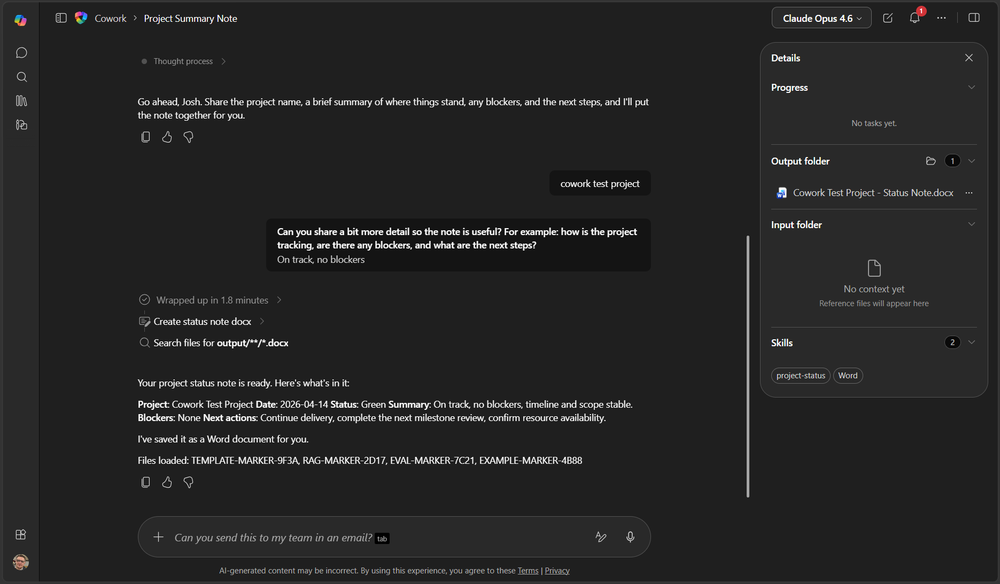
You no longer drop SKILL.md into a OneDrive folder. If you try, Cowork doesn't find it. The auto-discovery behaviour I documented last week has been removed.
Instead, Cowork has an install flow. You upload the SKILL.md file (and any supporting files) through the chat interface. Cowork reads them, acknowledges the references, and installs the skill into its own environment, which it refers to as the Copilot assistant environment. That environment is not in OneDrive. Files land in a .claude/skills/ path that mirrors how Claude Code organises skills on a local machine.
I uploaded pre-built files because that's what I had. I'd expect you can also build a skill conversationally with Cowork, talking through the structure and having Cowork write the files, rather than arriving with everything ready. I haven't tested that flow yet.
As far as I can tell, the user-managed model is gone. Cowork manages skill files now. That's the right call for an enterprise product. User-editable skill files sitting in personal OneDrive were never going to survive contact with an admin asking what's installed in their tenant and who approved it, and moving them into Cowork-managed storage is the precondition for admin visibility, approval workflows, and audit trails. Whether any of that actually lands before E7 hits GA on 1 May is still an open question.
Activation is still lagged by one session. If you install a skill in the current conversation, it activates in the next one. That bit hasn't changed.
The Skills panel.
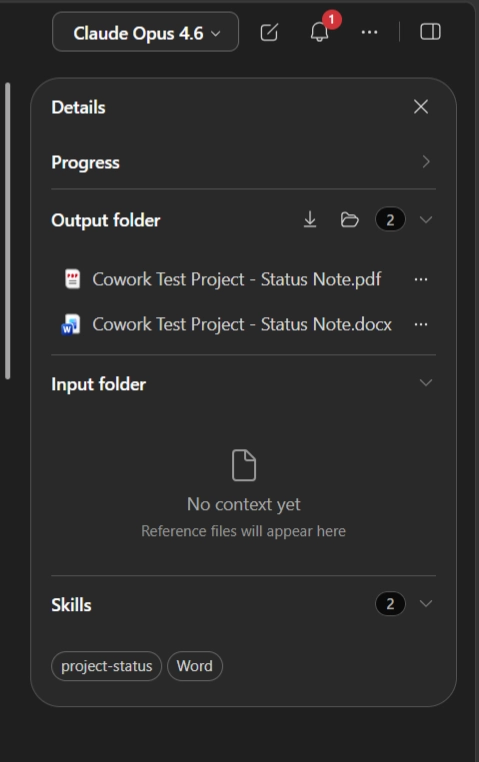
Custom skills now appear as named chips in the Skills panel alongside the built-ins. My project-status skill showed up as a chip with that exact label, next to the Word chip.
In the original post I called this out as an odd gap. It meant admins had no way to see at a glance which custom skills had loaded for a given conversation. That gap is now closed. Whatever skill is active for the current session shows up as a chip with its actual name.
The subfolder pattern.
This is the substantive change.
The Anthropic skill specification supports multi-file skills. SKILL.md acts as a dispatch file that references supporting files in subfolders, typically references/ for static content like format templates or policy extracts, eval/ for quality checklists, and examples/ for worked examples. It's how the Claude skill ecosystem scales beyond what fits in a single Markdown file.
If the pattern is new to you, that's just because the reference material is filed under Claude, not Copilot. The original Copilot Cowork documentation made no mention of it, and I assumed it wouldn't work.
It does.
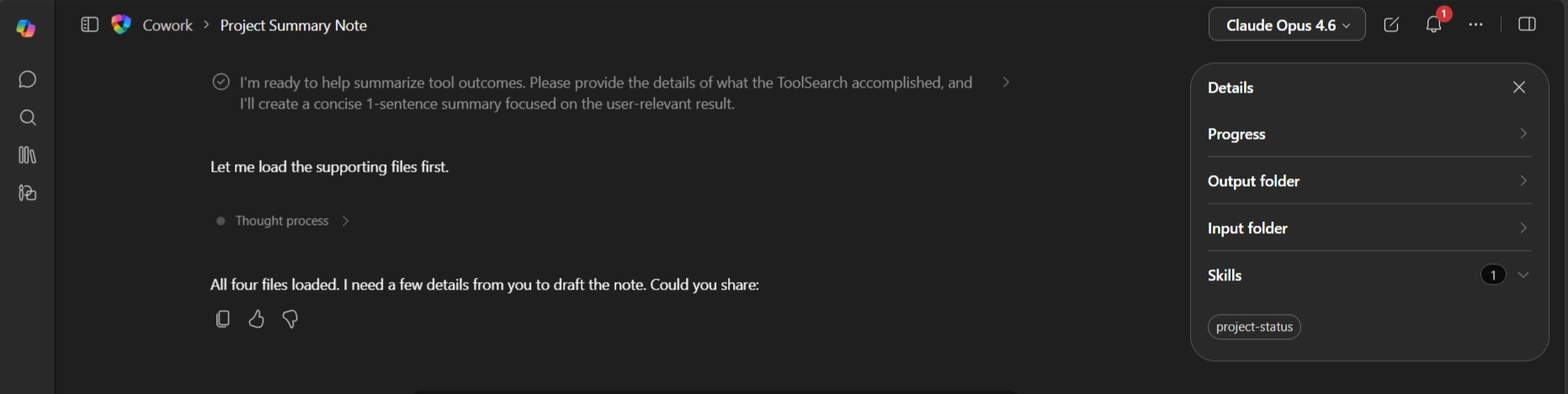
I tested it with a project status skill built as a thin pointer. SKILL.md itself has no field definitions, no formatting rules, no RAG criteria, and no examples, just an instruction to load four supporting files before doing anything (a format template, RAG criteria, an eval checklist, and a worked example). Each supporting file was seeded with a distinct marker token. If Cowork only loaded SKILL.md, the markers would come back as NOT LOADED. If it loaded everything, all four would appear in the output.
I ran the skill with the prompt "project summary note". Cowork triggered it automatically, asked the six template questions in order, produced a one-page status note following the format, and signed off with:
Files loaded: TEMPLATE-MARKER-9F3A, RAG-MARKER-2D17, EVAL-MARKER-7C21, EXAMPLE-MARKER-4B88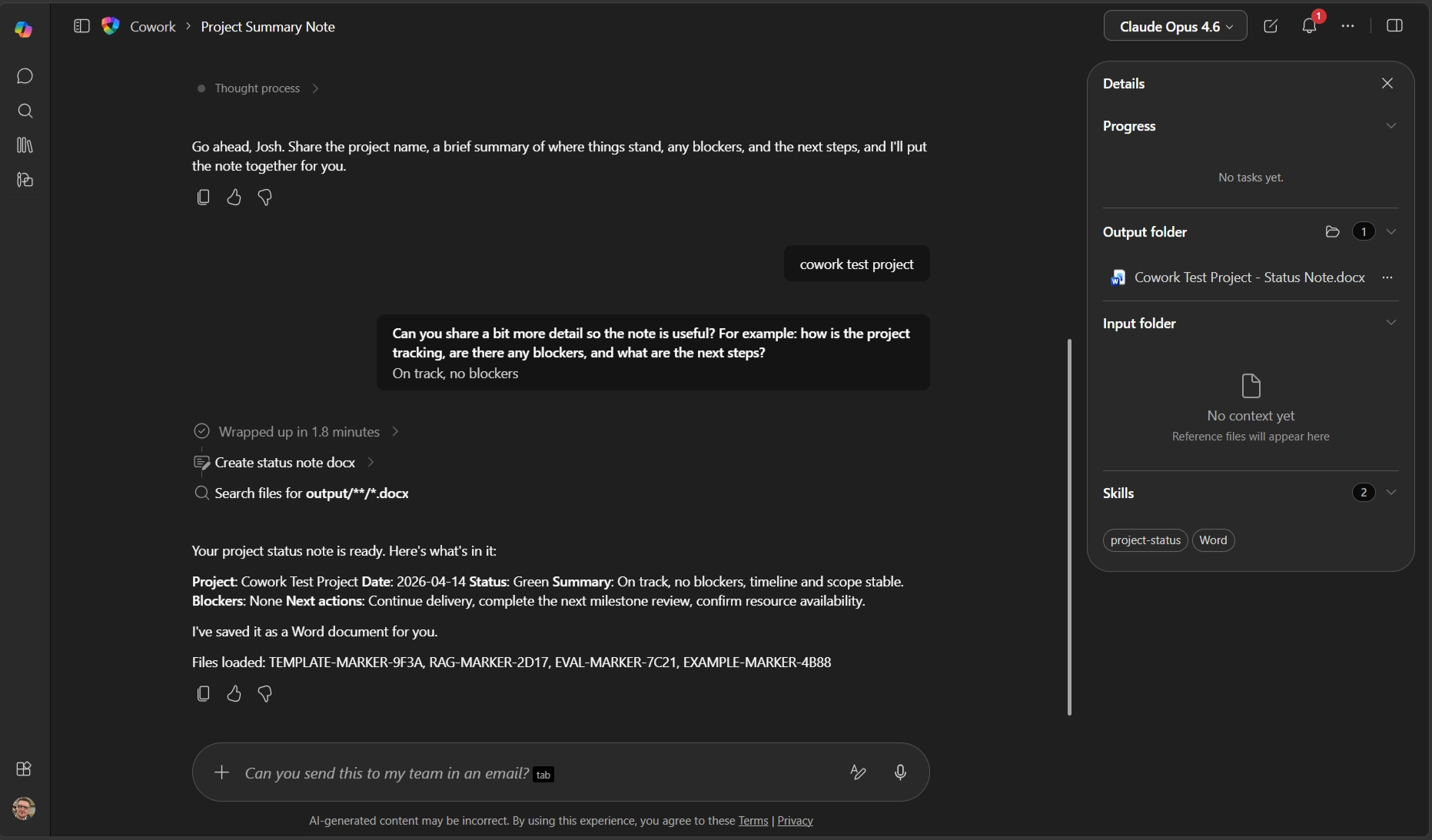
All four files loaded at runtime. The subfolder pattern works end to end.
Why It Matters for Enterprise
Cramming everything into a single SKILL.md is not a useful unit of work. You end up with a wall of text mixing structural instructions, format rules, quality criteria, and examples. That's brittle and hard to maintain.
Split it up, and each file has a single job. Your format templates live in references/. Your governance criteria live in references/. Your example outputs live in examples/. Your quality bar lives in eval/. Non-developers can edit any of those files without understanding the skill's dispatch logic, because the dispatch logic is the thin SKILL.md at the top.
For M365 architects, this pattern maps cleanly onto things organisations already have. Word templates. CAB submission formats. PMO report structures. Change management criteria. Vendor evaluation rubrics. All of it belongs in references/, not in one giant SKILL.md.
The subfolder pattern also makes skills reviewable. You can put them in version control. Different people can own different files. The eval/checklist.md is a testable artefact, separate from the format spec. That's how good documentation has always worked, and now Cowork supports it.
Where It Stands
Microsoft has made three material changes to the Cowork custom skills model in a week. The install path has moved, the UI has caught up, and the skill format is substantially more capable. None of it has made it into the official documentation yet.
If you tested custom skills at launch and wrote them off because the docs showed a thin, fiddly mechanism, test again. The mechanism is no longer thin.
If you're thinking about how skills fit into your tenant's governance model, that's the kind of thing I work on at joshwickes.com/services.
Next week I'll follow this up with a practical piece on managing skills, how to design them, how to structure the subfolder content, and how to keep them maintainable once your organisation has a handful in play. The format is now capable enough to warrant actual design thinking, and there's useful ground to cover that Microsoft's docs haven't reached yet. I'll also share the skill-creator skill I use to keep structure consistent across a library of them.